 English
 বাংলা
বাংলা Čeština
 Dansk
Dansk Deutsch
 Español
 Français
 हिन्दी
 Magyar
 Bahasa Indonesia
 Italiano
 日本語
日本語 한국어
한국어 Norsk bokmål
 Nederlands
 Polski
 Português
 Română
 Русский
 Slovenčina
 Slovenščina
 Svenska
 Türkçe
 Tiếng Việt
 中文
中文SRV — Services
SRV Windows services: their state, their startup, their dependencies.
Read
The state — stopped, running, paused, and the transitional states — and the startup type: automatic, automatic (delayed start), manual, disabled.
Search
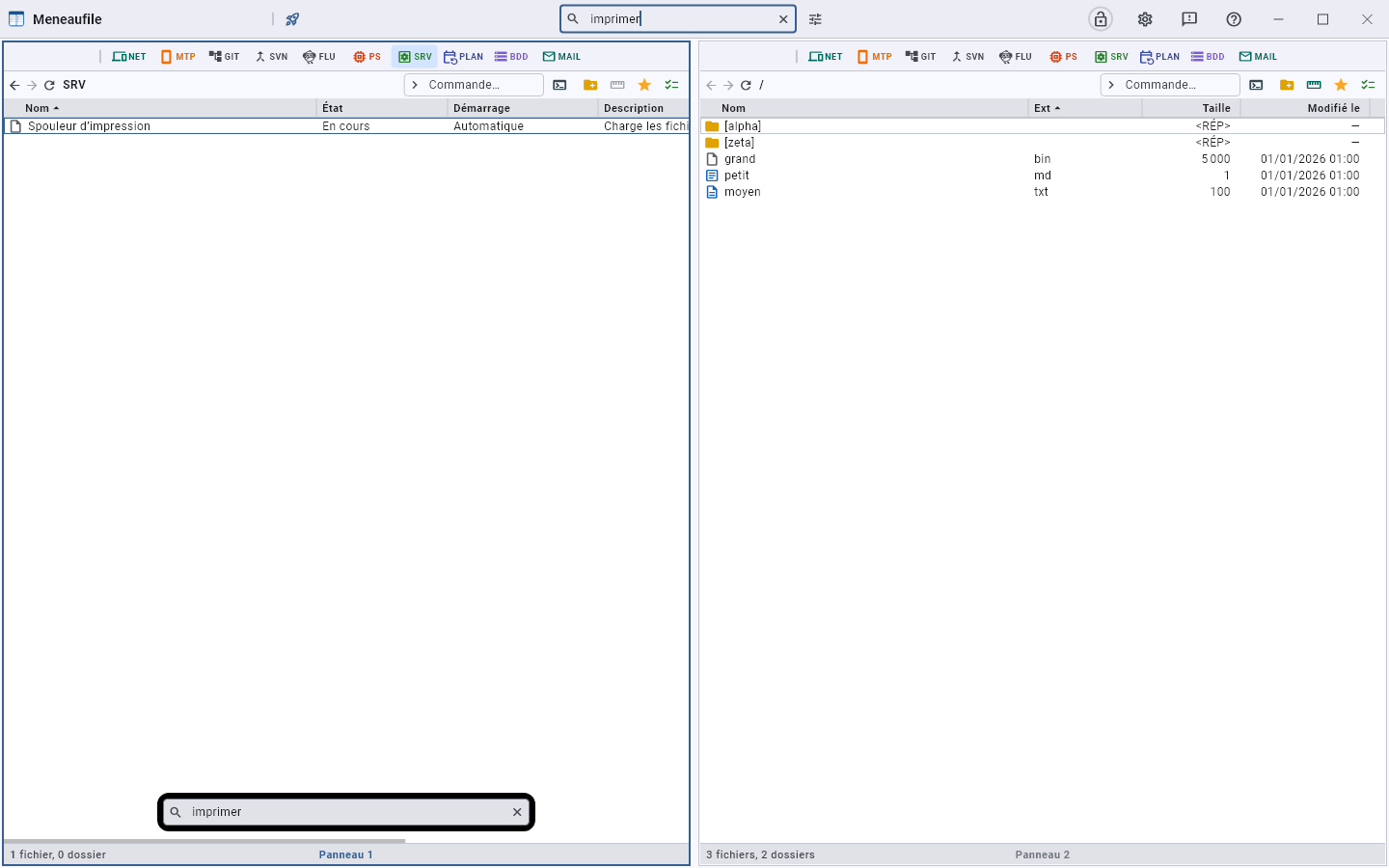
The title bar field filters the list on the name and the description: “print” finds the spooler, which you do not always know how to name. It is something the Windows console cannot do. Enter launches, the field’s cross gives back the whole list.
Act
Start, stop, restart, pause, resume, change the startup type. A progress dialog follows the state until the expected one is reached.
- Stopping a service also stops what depends on it; it is not uninstalled for all that.
- When it does not reach the expected state, Meneaufile says it seems stuck and offers to end its process.
The properties
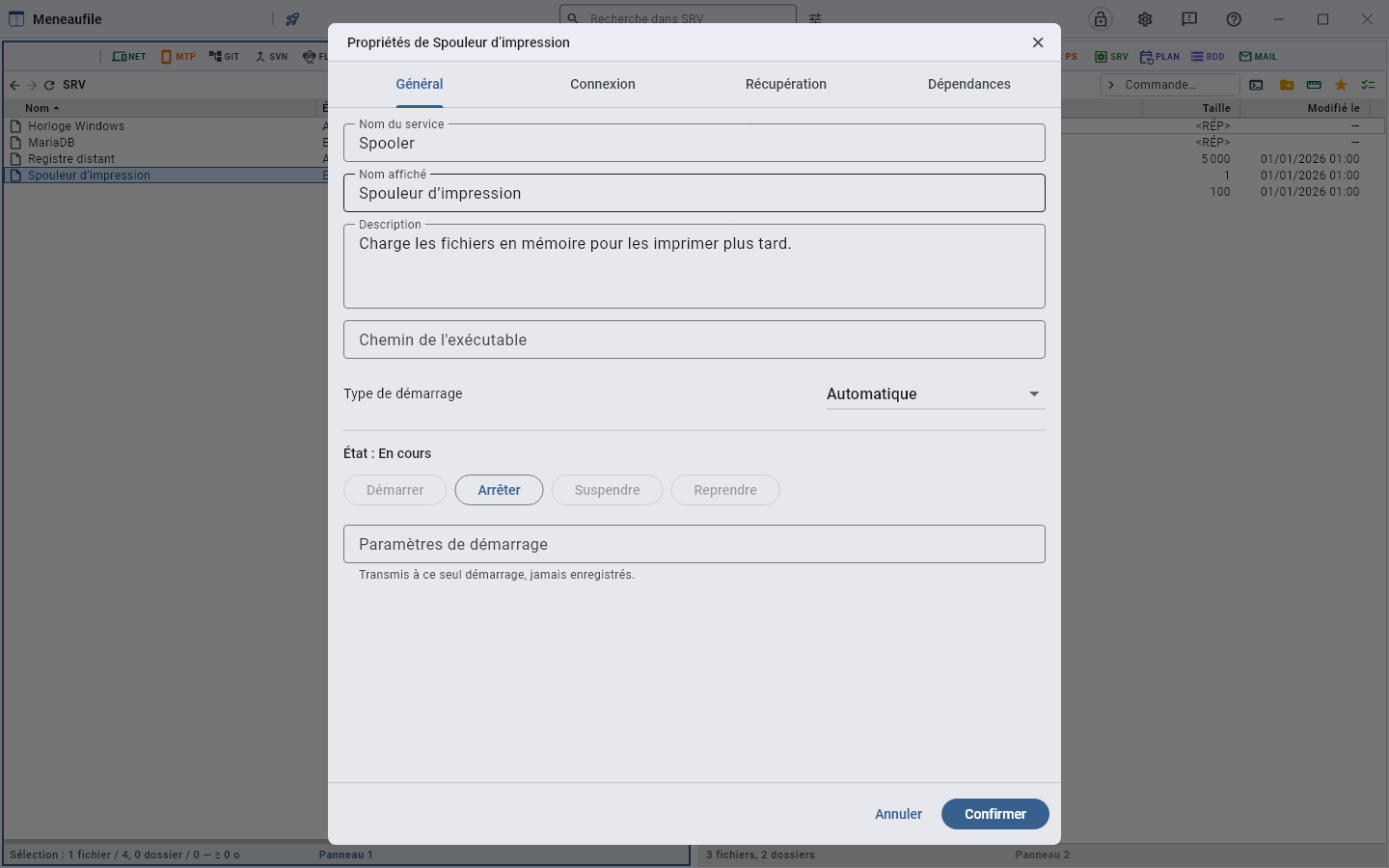
Four tabs: General (system name, display name, description, executable path, startup parameters), Log on, Recovery, Dependencies.
The rights
These commands require administrator rights: Meneaufile offers to relaunch elevated, and says when elevation is declined — nothing has then been sent to the service.
A service account’s password is an exception: it cannot go through an administrator command, where it would be readable in the process list. Meneaufile has to be launched as administrator to change it.
Meneaufile manual, in English.