 English
 বাংলা
বাংলা Čeština
 Dansk
Dansk Deutsch
 Español
 Français
 हिन्दी
 Magyar
 Bahasa Indonesia
 Italiano
 日本語
日本語 한국어
한국어 Norsk bokmål
 Nederlands
 Polski
 Português
 Română
 Русский
 Slovenčina
 Slovenščina
 Svenska
 Türkçe
 Tiếng Việt
 中文
中文BDD — Databases
BDD MySQL, MariaDB and PostgreSQL: the server, the databases, the tables, the rows — all of it is browsed like folders, and can be edited.
Declaring a connection
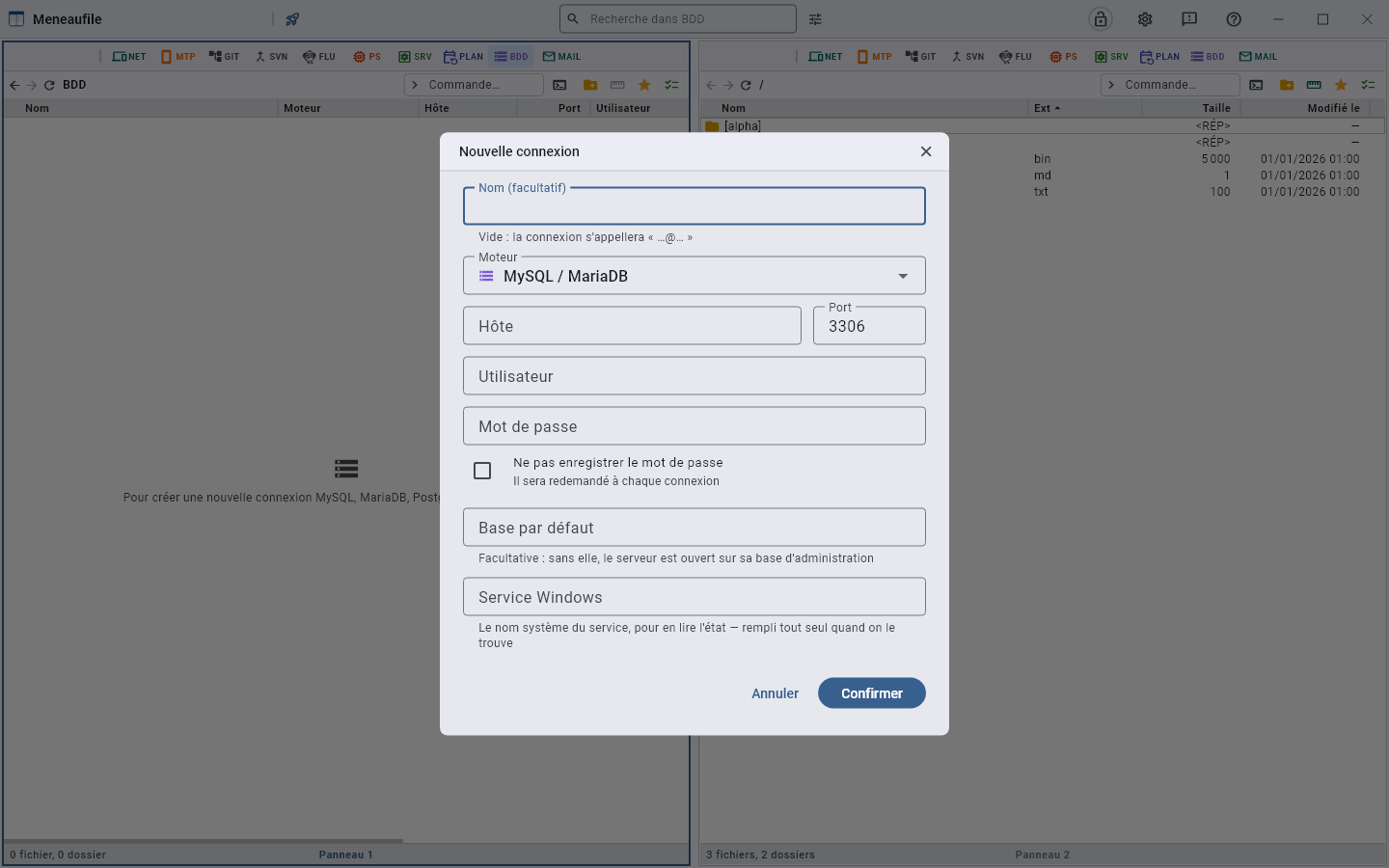
The engine, the host, the port, the user, the password, and a default database — optional: without it, the server opens on its administration database. A Windows service can be named to read its state, and Meneaufile fills it in by itself when it finds it.
The named service is one click away, from two places: “Open the service location” in the connection’s menu, and under the error when you enter a database whose service is stopped — the connection refused, the button leads into SRV, onto the service itself, where you restart it. Without it, you had to back out, find the row again and go through its menu.
The engine carries its icon, like the type of a NET entry: you choose in the dialog what you will recognise on the row.
Moving around
Server → databases → tables → rows. F12 switches between a table’s data and its structure. A database can be pinned to find it at the top.
The server also has its own views: accounts, running queries, server status, server settings, routines. They are read-only; their actions are in the right-click menu — change a password, set a variable, kill a process.
The rows
- Edit row: a form, the primary key flagged. A table without a primary key refuses editing — a row is not identifiable there, and modifying it would touch others.
- Find a field: from eight columns on, the form opens with a search. A few letters of the name leave only the fields that carry it, and Enter puts the cursor in the first one. A field hidden by the search keeps what was typed in it.
- A date, time or date-time field has two buttons: the calendar, and Now, which fills in the present moment to the second.
- Add a row, copy row as JSON, copy rows to the clipboard.
- A field can be copied on its own, in one gesture, without opening the form.
The structure
The fields with their type, collation, default value, attributes, comment; the indexes with their nature (primary key, unique, index) and their method. A field is added at the start, at the end or after another — PostgreSQL always adds at the end of the table, and says so.
A type picker sorts the engine’s types by family: integers, decimals, text, dates and times, binary. You filter them by typing.
Empty a table (truncate) removes all its rows, keeps the table, and resets the auto-increment to zero. There is no recycle bin on a server: this is said beforehand.
The relationship graph
“Relationship graph” draws the tables and their joins.
- You drop a table from the list on the left to place it on the drawing; you remove it by dragging it off the drawing, or from its right-click menu.
- You drag a field onto one in another table to draw a join. It is purely visual: the server is not touched.
- “Fit everything” frames the whole; the wheel zooms in and out; a filter finds a table by its name.
- The layout is saved: the drawing stays as you left it.
- “Export as image” writes the drawing into the folder of another view — if there is none, Meneaufile says so rather than writing just anywhere. “Open in its location” then leads there.
Export to a folder
A table has no bytes: it cannot be copied like a file. What you get from it on a disk is an SQL export.
- F6 to a panel that shows a folder, or “Export with structure”, which asks in which view to drop: one
.sqlfile per table. - On an entire database, the export goes through all its tables, under a progress dialog that can be stopped. The final message names the files written; a failure names the table where it stopped — “part of the database is missing” would only show up on replay, too late.
- On chosen rows, the export writes as many
INSERTs, in a file whose name is asked for — the table’s name is suggested. Rows coming from a query that reads several tables are refused: nothing would say where to reinsert them. - Schedule the export…, on right-click of a table or a database, makes it a regular backup: each run writes dated files,
clients-2026-10-03.sql. See Scheduling an action.
Import, clone
- Dropping a
.sqlonto a database replays it, after a question that names the file and the database. A single file, and a.sql: any other drop is refused in a word. At server level, nothing would say where to replay — a database is needed. - Clone database creates a new database on the same server and copies the tables into it. Stopped along the way, the clone stays incomplete, and Meneaufile says so.
- To a database, an export leads nowhere: it targets a disk. This is said out loud rather than left silent — otherwise you would think the file had been written.
Queries
An SQL query is written on the open database and sent with Ctrl+Enter. Recent queries are offered. The result is a list like any other: you sort in it, select in it, export it.
The SQL log keeps everything that was sent, with the number of rows touched. It can be copied and cleared.
Compare two tables
F8 on two tables compares their structures: with no bytes, it is the fields and the indexes that are set against each other. See Compare.
Remove
Removing a connection takes it off the list along with its password. The server is not touched.
Meneaufile manual, in English.