 English
 বাংলা
বাংলা Čeština
 Dansk
Dansk Deutsch
 Español
 Français
 हिन्दी
 Magyar
 Bahasa Indonesia
 Italiano
 日本語
日本語 한국어
한국어 Norsk bokmål
 Nederlands
 Polski
 Português
 Română
 Русский
 Slovenčina
 Slovenščina
 Svenska
 Türkçe
 Tiếng Việt
 中文
中文The Meneaufile manual
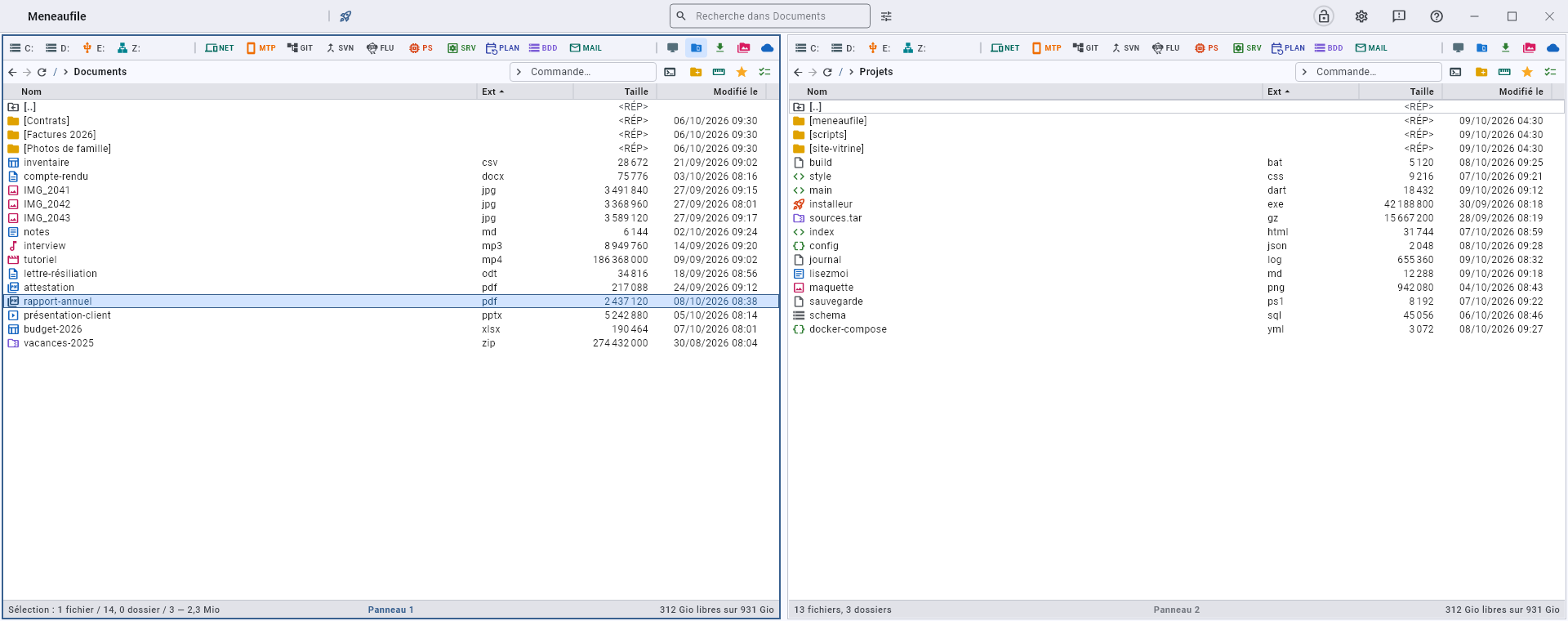
Meneaufile is a two-panel file manager: you work from one folder to another, both in front of you, with the keyboard as much as with the mouse.
What it brings
It comes down to one sentence: whatever is not a file is browsed like a folder. An FTP server, an archive, a password vault, a database, the list of processes, the history of a Git repository: all of it opens in a panel, with the same keys, the same selection, the same breadcrumb. There is nothing new to learn for each source.
What it is not: an RDP client, an SSH client, a browser, an editor. Those tools belong to the system; Meneaufile keeps them close at hand, tidied away, and knows which one answers before you click.
Everyday actions
| Key | What it does |
|---|---|
| F3 | View — text, images, PDF, Office, video, sound |
| F6 | Copy to the other panel |
| F8 | Compare two files line by line |
| F9 | Compress the selection |
| F10 | Back up — make one folder a mirror of the other |
| F11 | Synchronise — bring the two in line with each other |
Where to start
- Panels — moving around, the layouts, the breadcrumb.
- Copy, move, delete — and what can be undone.
- The queue — every long action takes its turn there, and can be followed there.
- Shortcuts — the whole list.
- The modules — the twelve sources that open like folders.
The platforms
Windows, Linux and Android. What makes no sense on a platform is not shown there: the SAF module exists only on Android, network neighbourhood only on Windows, services only where the platform has them.
Meneaufile manual, in English.