 English
 বাংলা
বাংলা Čeština
 Dansk
Dansk Deutsch
 Español
 Français
 हिन्दी
 Magyar
 Bahasa Indonesia
 Italiano
 日本語
日本語 한국어
한국어 Norsk bokmål
 Nederlands
 Polski
 Português
 Română
 Русский
 Slovenčina
 Slovenščina
 Svenska
 Türkçe
 Tiếng Việt
 中文
中文View and edit
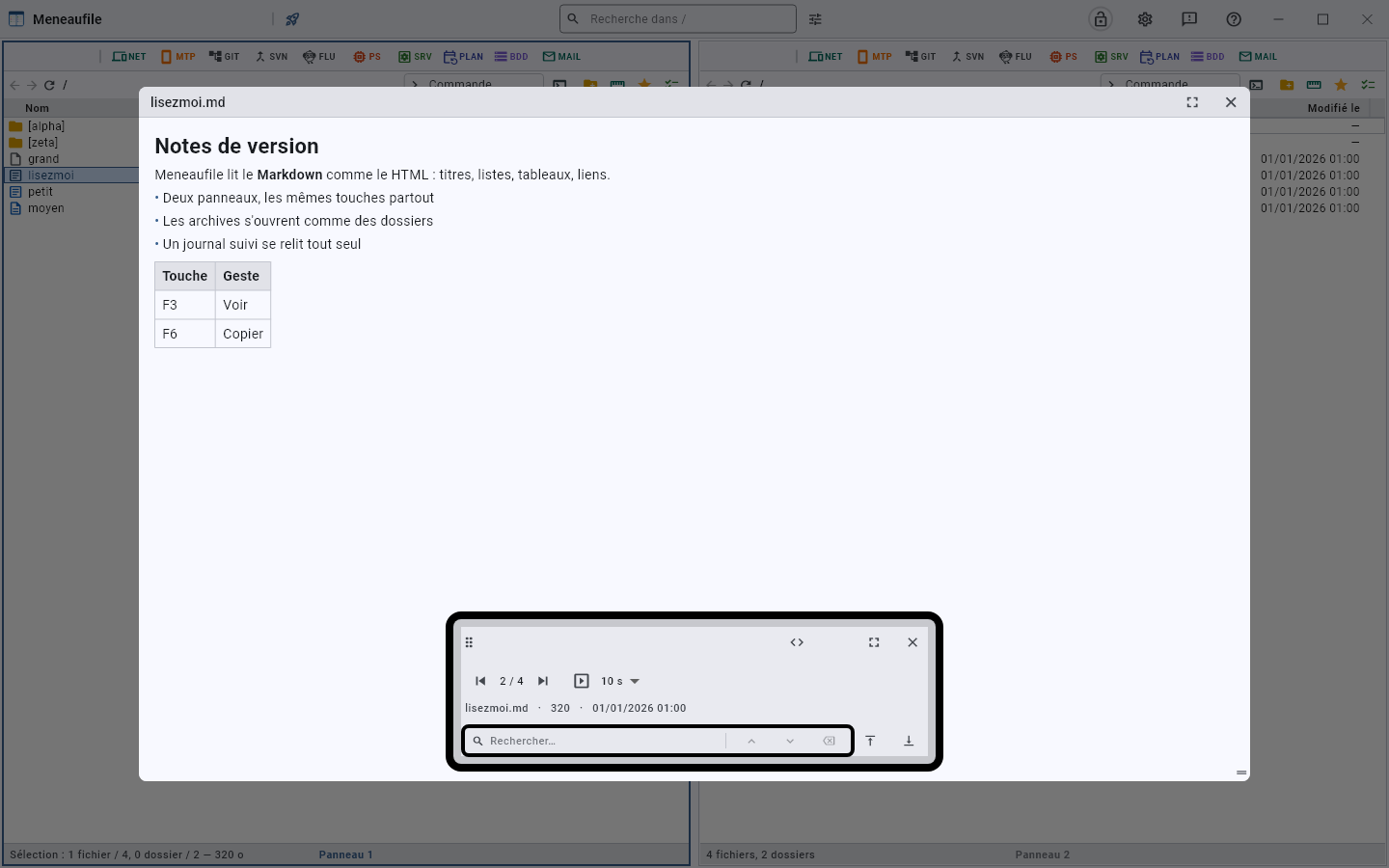
F3 opens the viewer, F4 the system editor.
What it reads
Text, Markdown, HTML, CSV tables, images, PDFs, Office documents, video and sound — and everything else in hexadecimal. The arrows move to the next file without closing it: that is what makes the difference between looking at a file and browsing a folder.
The built-in renderer is not an engine: it reads headings, lists, tables, links; it knows neither CSS, nor script, nor images. For a page that depends on them, the “browser” button hands it over to the system’s — already installed, and telling the truth. An Office document goes the same way to its program when it is installed.
JSON and XML are reformatted when the file is read in full: one tag or value per line, four spaces per level. A web.config or an API response often fits on a single line, which you used to follow with your finger. What cannot be parsed — a file truncated by the reading window, a .json that is not one — stays as it is: better the source than nothing. The file itself is never rewritten: it is formatting on screen.
Search in it
The viewer’s field searches the displayed file, counts the occurrences and moves from one to the next. In a PDF, it is the extracted text that is searched.
A file that changes before your eyes
A displayed text file rereads itself. Meneaufile checks it every two seconds: if it has changed, it rereads it without the reading position moving. Placed at the BOTTOM of the file, however, it follows what arrives — it is a log you watch flowing.
The limits
The viewer reads sixty-four mebibytes in one piece; beyond that it shows a window of the file, and two bounds lead to the start and the end.
Meneaufile manual, in English.